一、该问题的重现步骤是什么?
1. 生产环境登陆后任何操作都提示 “签名认证失败”,dev环境没有任何问题
2.
3.
二、你期待的结果是什么?实际看到的又是什么?
实际签名都按程序生成核对过,生产环境还是提示签名认证失败
三、你正在使用的是什么产品,什么版本?在什么操作系统上?
bladex-boot window server2019
四、请提供详细的错误堆栈信息,这很重要。
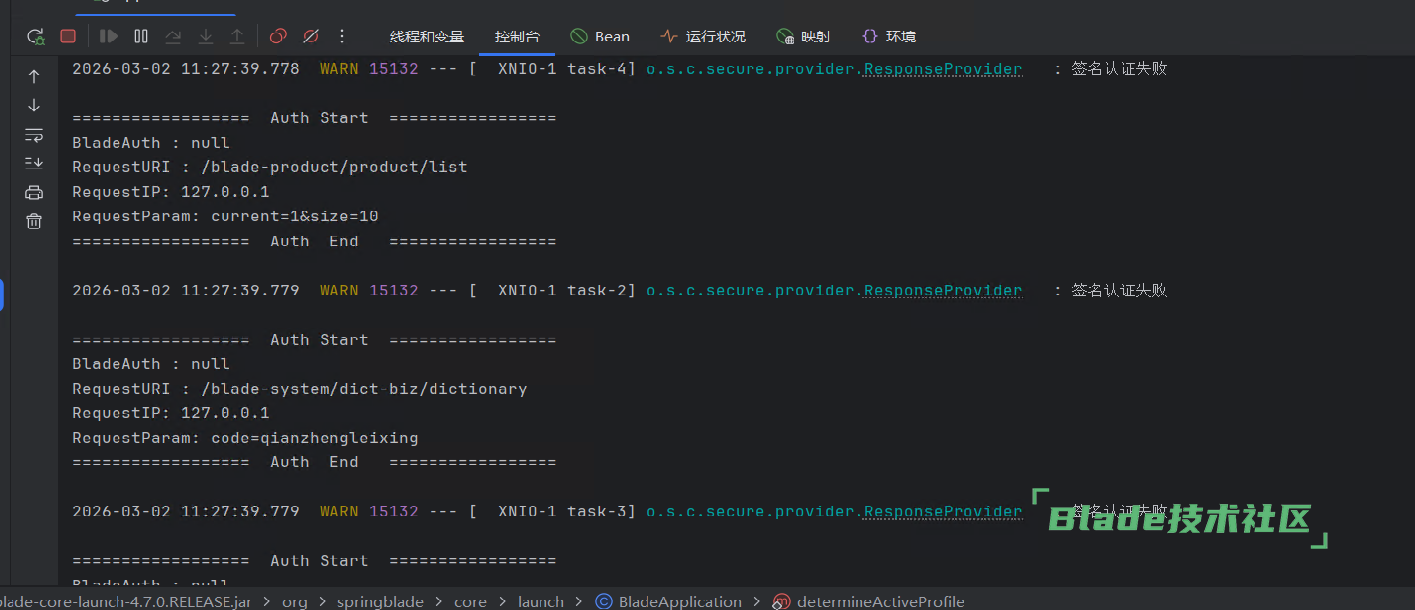
五、若有更多详细信息,请在下面提供。
菜单没法加载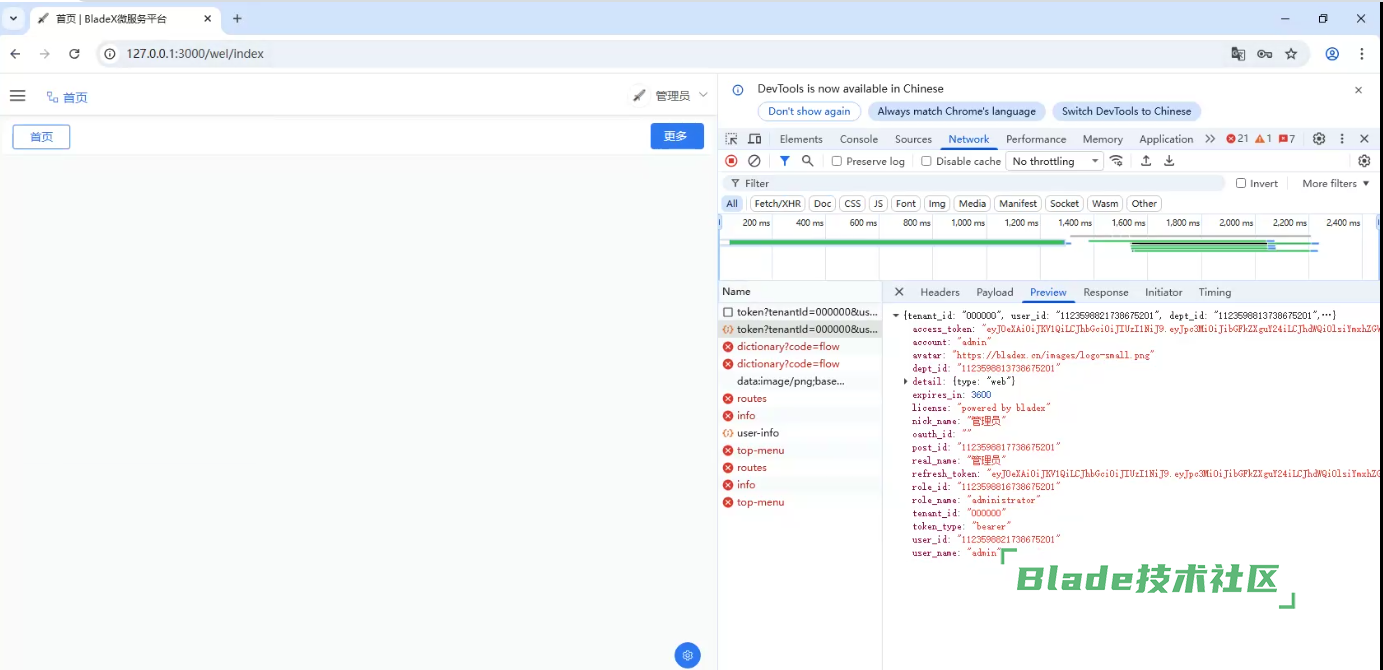
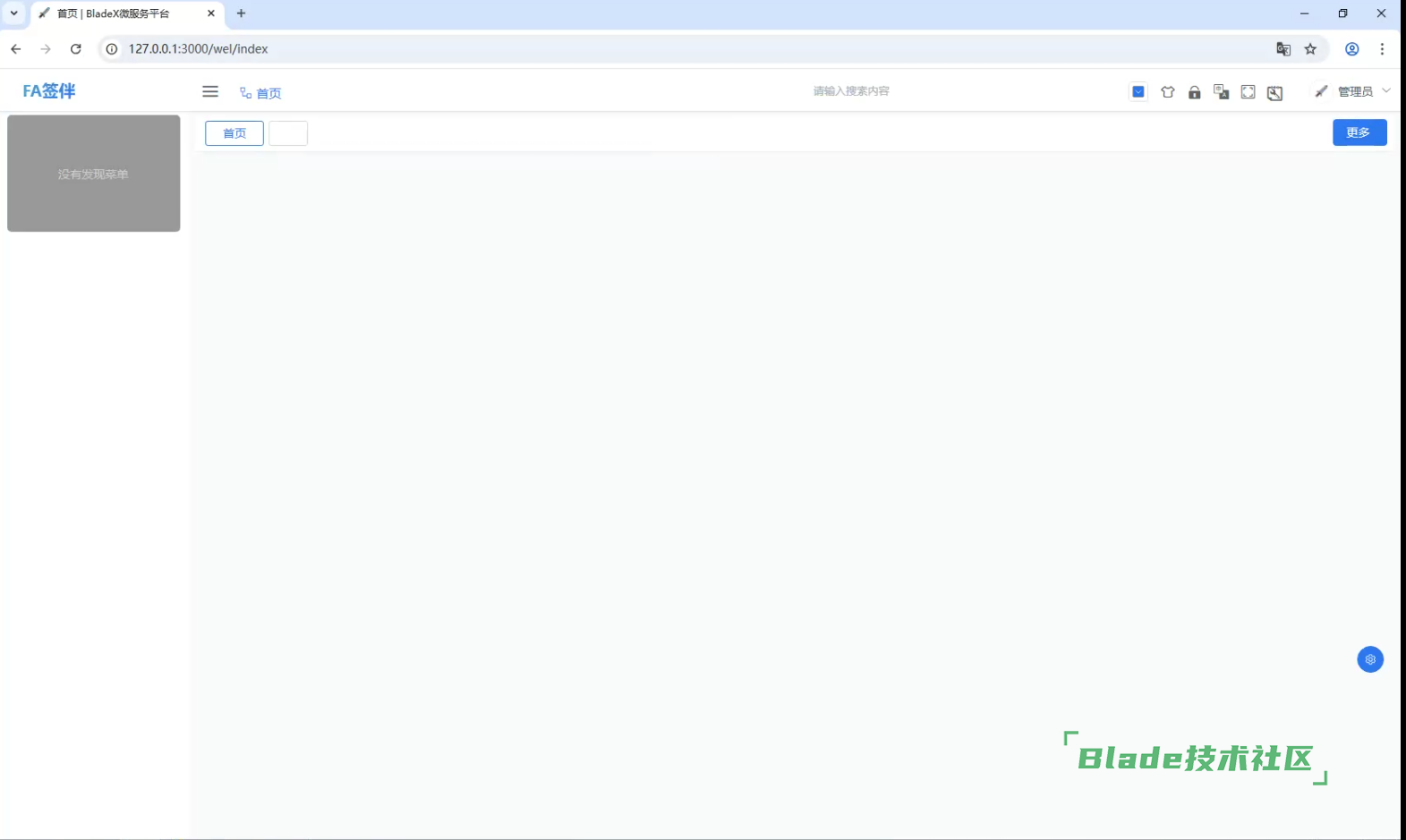
不确定你们具体改动了哪里,先用git私服原版的前后端跑起来,部署下看看是否能跑通
涉及到签名的不就是crypto.js、website.js。后台的application.yml么。里面的授权保持一致就行了吧。我感觉是跨域的问题。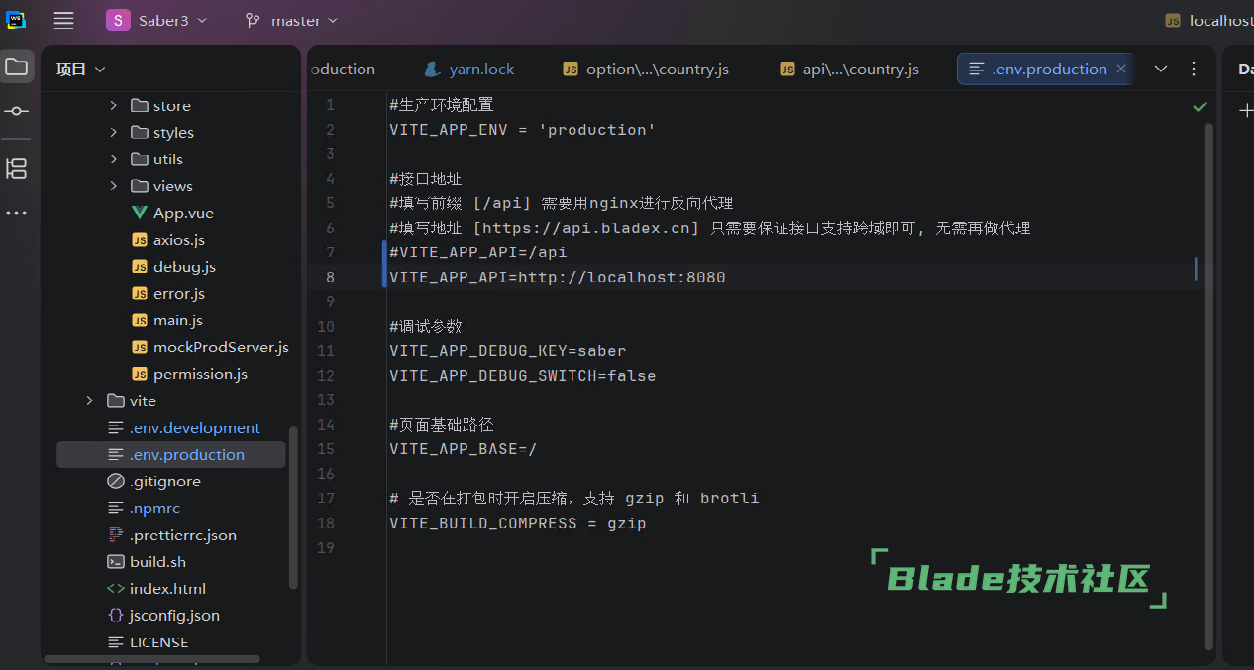
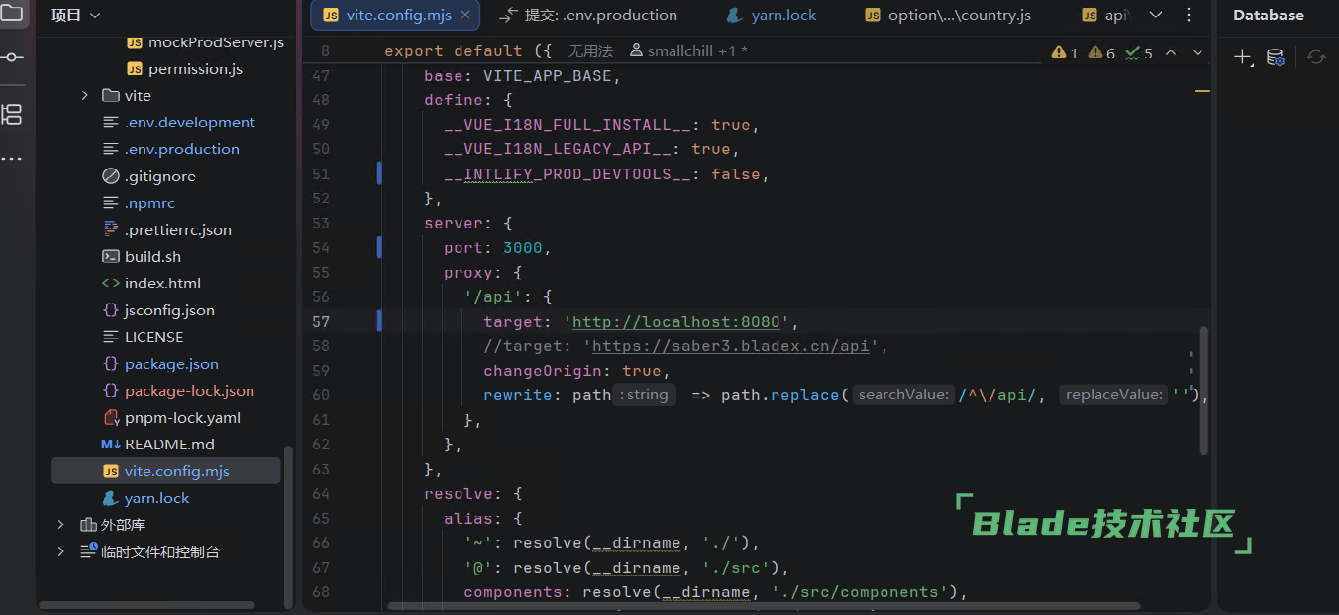
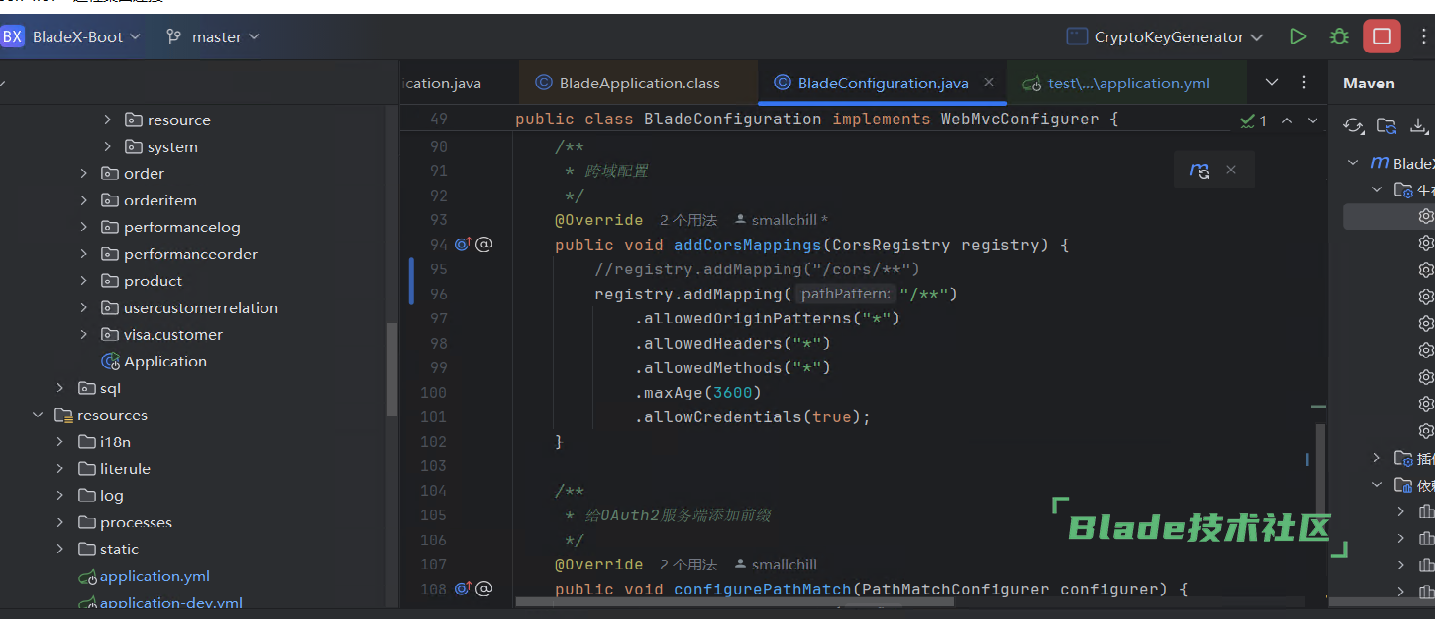
VITE_APP_API=/api
这个不要去改,就用 /api ,具体代理从nginx配置就不会存在跨域问题
nginx配置参考
    location /api {
        proxy_redirect              off;
        proxy_set_header            Host $host;
        proxy_set_header            X-real-ip $remote_addr;
        proxy_set_header            X-Forwarded-For $proxy_add_x_forwarded_for;
        proxy_pass                  http://127.0.0.1:8800/;
    }
如果你需要给外部系统也调用,处理他本身的跨域问题,就这么配置
    location /api {

        # 隐藏后端返回的 CORS 头部
        proxy_hide_header 'Access-Control-Allow-Origin';
        proxy_hide_header 'Access-Control-Allow-Methods';
        proxy_hide_header 'Access-Control-Allow-Headers';
        proxy_hide_header 'Access-Control-Allow-Credentials';
        proxy_hide_header 'Access-Control-Expose-Headers';
        proxy_hide_header 'Access-Control-Max-Age';

        # 所有非OPTIONS请求的CORS头部
        add_header 'Access-Control-Allow-Origin' '*';
        add_header 'Access-Control-Allow-Methods' 'GET, POST, PUT, DELETE, OPTIONS' always;
        add_header 'Access-Control-Allow-Headers' 'DNT,X-Requested-With,Keep-Alive,User-Agent,X-Requested-With,If-Modified-Since,Cache-Control,Content-Type,Range,Authorization,token,Blade-Auth,Blade-Requested-With,Tenant-Id' always;
        add_header 'Access-Control-Allow-Credentials' 'true' always;
        add_header 'Access-Control-Expose-Headers' 'Content-Length,Content-Range' always;


        # 处理OPTIONS预检请求
        if ($request_method = 'OPTIONS') {
            add_header 'Access-Control-Allow-Origin' '*';
            add_header 'Access-Control-Allow-Methods' 'GET, POST, PUT, DELETE, OPTIONS' always;
            add_header 'Access-Control-Allow-Headers' 'DNT,X-Requested-With,Keep-Alive,User-Agent,X-Requested-With,If-Modified-Since,Cache-Control,Content-Type,Range,Authorization,token,Blade-Auth,Blade-Requested-With,Tenant-Id' always;
            add_header 'Access-Control-Max-Age' 3600;  # 预检请求的缓存时间
            add_header 'Content-Length' 0;
            add_header 'Content-Type' 'text/plain charset=UTF-8';
            return 204;  # 返回204响应,表示成功,但不返回数据
        }

        # 原来的代理配置
        proxy_redirect              off;
        proxy_set_header            Host $host;
        proxy_set_header            X-real-ip $remote_addr;
        proxy_set_header            X-Forwarded-For $proxy_add_x_forwarded_for;
        proxy_pass                  http://127.0.0.1:8800/;
    }

 加载中...

 苏公网安备 32041102000998号